File system

Search documents
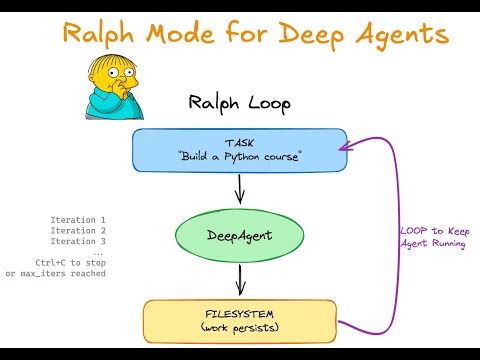
Ralph Mode for Deep Agents: Running an Agent Forever
LangChain· 2026-01-07 16:01
Hey friends, this is Viv from Langchain. So if you've been keeping up to date with the latest and the greatest in agentic coding, then you might have heard of this guy. This is Ralph Wigum, famous from the Simpsons, but given a sort of new lease on life in our agentic world by our good friend Jeff Huntley.Now, what does Ralph actually have to do with agent encoding. Well, we can thank the Ralph loop for that. Let's dive in.It's a story of perseverance, but it's also a story of what your agent can really do ...

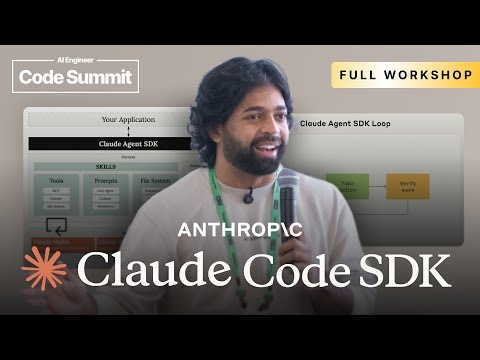
Claude Agent SDK [Full Workshop] — Thariq Shihipar, Anthropic
AI Engineer· 2026-01-05 17:00
[music] Okay. Yeah, thanks for joining me. I uh I'm still on the West Coast time, so it feels like I'm doing this at like 7:00 a.m. Uh so yeah, but um glad to talk to you about the Claude agent SDK. So um yeah, I think like this is going to be like a rough agenda, but we're going to talk about we're going to talk about like what is the claud agent SDK? Why use it? There's so many other agent frameworks. What is an agent? What is an agent framework? um how do you design an agent uh using the agent SDK or or ...
Deep Agents UI
LangChain· 2025-08-13 16:47
Deep Agents Overview - Deep agents are agents that plan, reason, and act over longer time horizons [1][2] - Deep agents can plan their work, delegate tasks to sub-agents, use a file system, and have detailed system prompts [3] - Setting up a deep agent involves cloning a repository, installing dependencies, and specifying API keys [4] UI Setup and Functionality - The UI displays the agent's plan, file system status, and sub-agents [1] - Setting up the UI requires cloning the UI repository and configuring variables like the deployment URL and agent ID [5][6] - The UI workspace pane is connected to the agent's to-do list and file system [7] - The agent writes the user's question to its file system for later reference [7] - Sub-agents can be spawned to handle complex tasks, and their inputs and outputs can be viewed [8] - A critique agent can critique the final report, and the agent can edit specific lines in the file system [9] Key Steps for Implementation - Fork the open-source repository and set environment variables to point to the agent server [10]