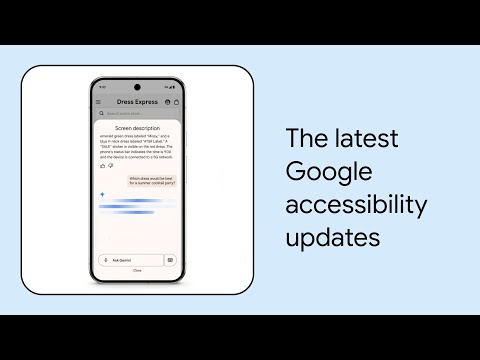
Screen Reader

Search documents
The Unexpected Edge: How Accessible Design Builds a Better World | Yahye Siyad | TEDxDilmun
TEDx Talks· 2025-12-15 16:14
[music] I would like you to close your eyes, please. Just for a few seconds, imagine you're not able to see. You're trying to read a book, but the pages are blank.You're trying to check your phone, but the screen is just smooth pane of glass. You're trying to navigate a new city, but all the street signs and the landmark are invisible. Now please open your eyes before you fall asleep.For you that was an exercise for me. This has been my reality for so long. It's a life that is lived on the edge of design. I ...

What’s New in Google Accessibility | Episode 9 | American Sign Language
Google· 2025-07-16 14:03
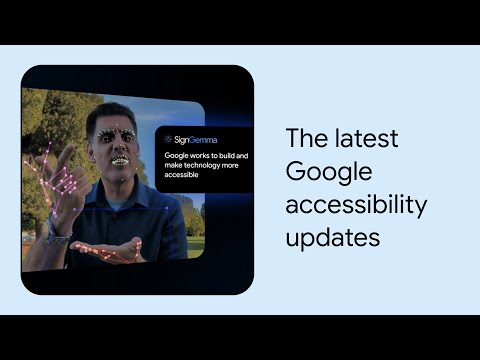
Accessibility Innovations - Google is releasing SignGemma, an open model for sign language understanding, focusing on American Sign Language (ASL) and English, with plans to translate other sign languages into spoken language text [1][2] - Android expands Gemini integration into TalkBack screen reader, providing AI-generated descriptions for images and the entire screen, enabling conversational questions and responses [4] - Expressive Captions on Android now capture the intensity and nuance of speech, including emphasis and sounds like whispering or yawning [5][6] - Pixel's Magnifier app introduces live search, highlighting matches on the screen and vibrating when something is found, aiding blind and low vision users [6][7] - Project Astra Visual interpreter, in collaboration with Aira, is being tested to provide real-time descriptions of surroundings for blind and low-vision users, supervised by live Aira agents [8][9][10] Chrome and Chromebook Updates - Chrome now supports Optical Character Recognition (OCR) for scanned PDFs, allowing screen readers to interact with them [11][12] - Chromebooks now offer the ability to turn off the touchpad and flash the screen for new notifications [12] - New Chromebook features cater to users with limited dexterity and/or tremors, including Bounce Keys, Slow Keys, and Mouse Keys [13] Workspace Enhancements - Workspace allows users to embed interactive Google Calendars into websites, with screen-reader compatibility, improved spacing, and responsive layout [14]
What’s New in Google Accessibility | Episode 9
Google· 2025-07-16 14:02
Accessibility Innovations - Google is releasing SignGemma, an open model for sign language understanding, initially focusing on American Sign Language (ASL) and English, with the potential for community-driven adaptation to other sign languages [1][2] - Android's TalkBack screen reader now integrates Gemini to provide AI-generated descriptions of the entire screen, enabling conversational follow-up questions [4] - Expressive Captions on Android now capture the intensity and nuance of speech, including drawn-out sounds and subtle vocalizations like whispering and yawning [5][6] - The Pixel's Magnifier app introduces live search, allowing blind and low-vision users to type what they're looking for and receive real-time highlights and vibrations when matches are found [6][7] - Project Astra Visual Interpreter, in collaboration with Aira, is being tested to provide real-time descriptions of surroundings for blind and low-vision users, supervised by live Aira agents [8][9][10] Chrome and Chromebook Updates - Chrome now supports Optical Character Recognition (OCR) for scanned PDFs, enabling screen readers to interact with the text [11][12] - Chromebooks now offer the ability to turn off the touchpad, flash notifications for new alerts, and features like Bounce Keys, Slow Keys, and Mouse Keys to assist users with limited dexterity and/or tremors [12][13] Workspace Enhancements - Google Workspace allows users to embed interactive, screen-reader compatible Google Calendars into websites, featuring improved spacing, responsive layouts, and keyboard shortcut navigation [14]