电子税务局常见问题

Search documents
2026年2月山东省电子税务局常见问题汇总
Xin Lang Cai Jing· 2026-02-06 11:26
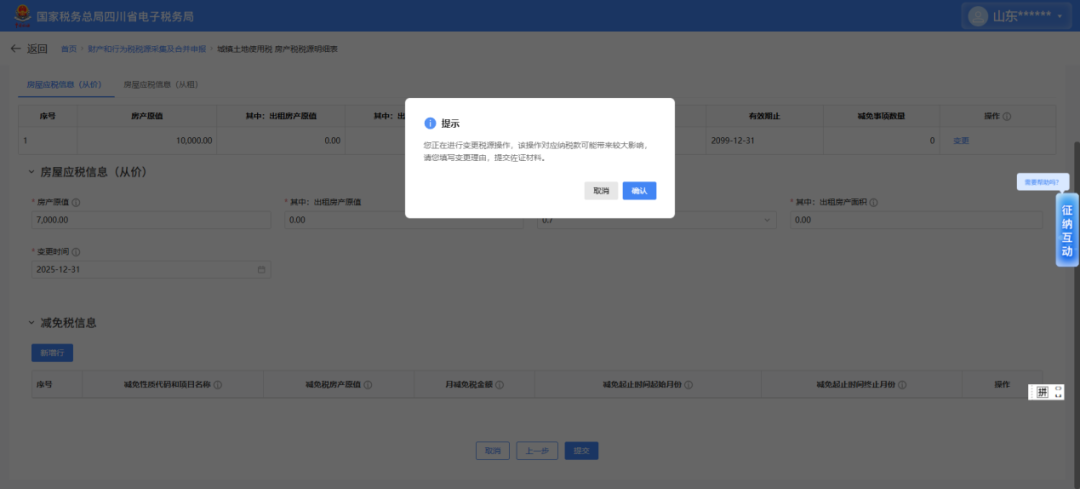
Group 1 - The system requires supporting documents when modifying the property tax source value if the new value is below a certain percentage of the current value [2][13] - When modifying rental income for property tax, if the new rental income is less than or equal to a certain percentage of the current value, a prompt for justification and supporting documents is triggered [13] - For land tax details, if the modified land area is less than or equal to a certain percentage of the current value, a similar prompt for justification and supporting documents appears [4][13] Group 2 - After importing customs declaration for tax exemption, if there is an abnormal prompt in the "Pending Data" section regarding "Pending Confirmation Exchange Rate Data," it is usually due to the absence of corresponding exchange rate configuration for the export date [5][14] - To resolve the exchange rate issue, users should navigate to "Data Management - Basic Data Management - Exchange Rate Management" and click the "Add" button to collect exchange rates [15][16] - If there are still red circle prompts in the pending confirmation exchange rate data after completing the above steps, batch recording of exchange rates is required [16][17] Group 3 - The electronic tax bureau does not support refunds for overpaid union funds through the one-stop tax refund module; taxpayers must visit the tax authority's service hall for processing [9][17] - In the environmental protection tax source information collection, if the exemption nature code and project name are grayed out and unselectable, it indicates that pollutants calculated using certain methods are not eligible for exemptions [10][18] Group 4 - If there is a discrepancy between the confirmed purpose of the export tax declaration and the current tax declaration data, it indicates that only the purpose confirmation was completed without generating a statistical confirmation report [11][19] - Taxpayers should enter the "Statistical Confirmation" interface in the "Export Tax Declaration Purpose Confirmation" module to complete the necessary confirmations before proceeding with the tax declaration [19][20]