文件引用不重复占空间

Search documents
微信有新功能!网友:好用
Xin Lang Cai Jing· 2026-02-26 15:34
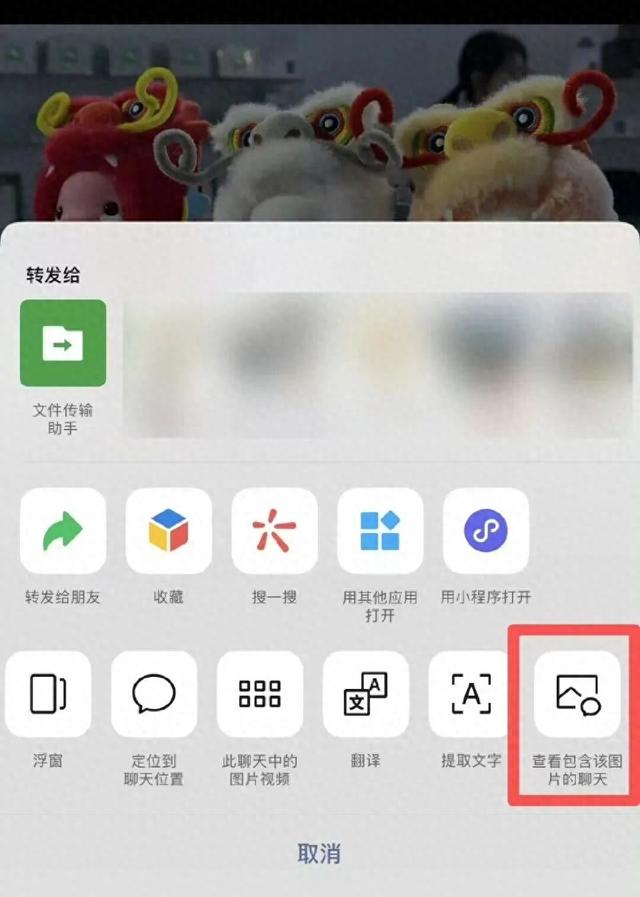
Core Viewpoint - WeChat has introduced a new feature that allows users to see how many chats a particular image, video, or file has been used in, addressing concerns about storage space usage [1][5]. Group 1: New Feature Introduction - The new feature enables users to long-press on any image, video, or file in a chat to view the option "View the chats that contain this image/video/file" [1]. - Users can see the number of chats that have used the same content, which helps them understand that multiple uses do not increase storage space [5]. Group 2: User Interface and Experience - The interface will display a message indicating that the same image, video, or file used in multiple chats does not occupy additional storage space [3]. - This feature aims to reassure users that forwarding content does not lead to increased file storage, as it merely increases the reference count [5]. Group 3: Storage Management Tips - Users can manage their storage by checking the total usage and specific sections in the WeChat settings under "Storage Space" [6]. - Temporary data generated by various functions can be safely cleared, and users can selectively clear high-resolution images and videos to save space [6]. - The chat record management page allows sorting by file size, enabling users to quickly identify and delete large files [6].