DataGrip

Search documents
JetBrains 放大招:DataGrip 对非商业用途永久免费!
菜鸟教程· 2025-10-11 03:30
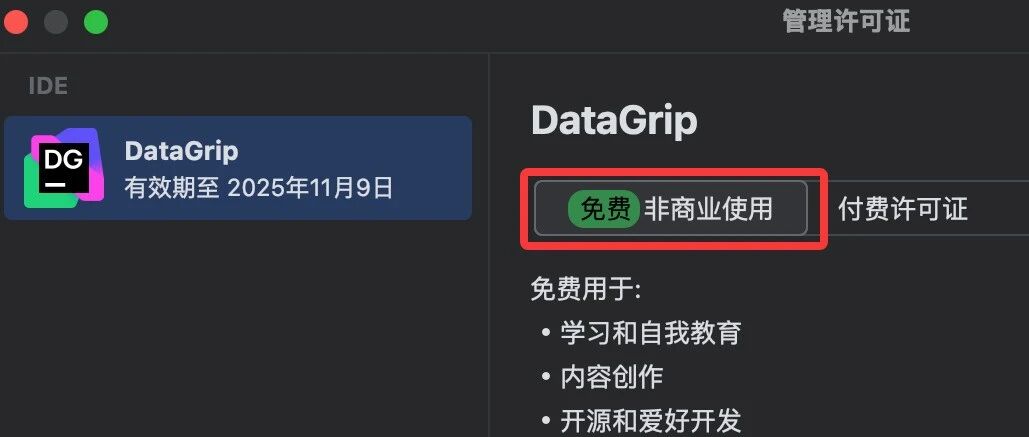
Core Viewpoint - JetBrains has announced that DataGrip will be free for non-commercial use starting from version 2025.2.4, allowing users to access full features without limitations or advertisements [4][5][19]. Group 1: DataGrip Features and Comparison - DataGrip is a comprehensive database IDE that supports various databases including MySQL, PostgreSQL, Oracle, and MongoDB, making it a versatile tool for database developers and data analysts [5][9]. - Previous tools like Navicat are powerful but require payment after a trial period, while DBeaver, although free, has performance issues [6][12]. - DataGrip offers features such as intelligent SQL auto-completion, AI assistance, data editing, ER diagrams, schema visualization, multi-database connections, Git integration, and an Excel-like data manipulation interface [9][19]. Group 2: Free Usage Policy - The free usage policy is aimed at expanding the developer community, allowing students and creators to access professional tools without budget constraints, which may lead to long-term user retention [13][19]. - Non-commercial use includes self-learning, open-source projects, and content creation, while commercial use still requires a paid license [13][19][25]. - The free strategy aligns with JetBrains' previous offerings, enhancing the learning ecosystem by making tools accessible to a broader audience [19][26]. Group 3: Installation and Activation - Installation of DataGrip is straightforward through the JetBrains Toolbox App, which manages various JetBrains IDEs [17][18]. - Users can switch to the non-commercial version easily, whether they are new or existing users, by following a simple activation process [21][24]. - The non-commercial license is valid for one year and can be automatically renewed if the user has accessed DataGrip within the last six months, effectively allowing personal users to use it for free indefinitely [25].

数据库工具哪家强?这个显眼包,一用就回不去!
菜鸟教程· 2025-07-16 02:14
Core Viewpoint - DBeaver is an open-source, cross-platform database management tool that supports nearly all mainstream databases, making it a versatile choice for database management and development needs [2][3][10]. Group 1: Product Overview - DBeaver supports a wide range of databases including MySQL, PostgreSQL, Oracle, SQL Server, SQLite, MongoDB, and many others, totaling over 80 supported databases [3][15]. - The tool is available in two versions: DBeaver Community (free) and DBeaver PRO (paid), with the PRO version offering advanced features and support for more databases [8][10]. - DBeaver runs on Windows, Linux, and macOS, providing flexibility for users across different operating systems [11]. Group 2: Features and Functionalities - The Community version includes essential features such as data editing, SQL editing, basic ER diagrams, and data import/export capabilities [9]. - The PRO version enhances security, supports more databases via ODBC, includes NoSQL database support, and offers cloud database integration [12]. - Advanced functionalities in the PRO version include a visual query builder, SQL AI assistant, performance visualization tools, and task scheduling capabilities [18][19]. Group 3: Installation and Usage - DBeaver can be easily downloaded from its official website, with installation instructions provided for various operating systems [6][20]. - Users can connect to databases through a user-friendly interface that allows for easy navigation and management of database connections [28].