Vim

Search documents
不用记 Vim 指令!VS Code 级交互的终端编辑器,新手轻松拿捏~
菜鸟教程· 2025-12-23 03:31
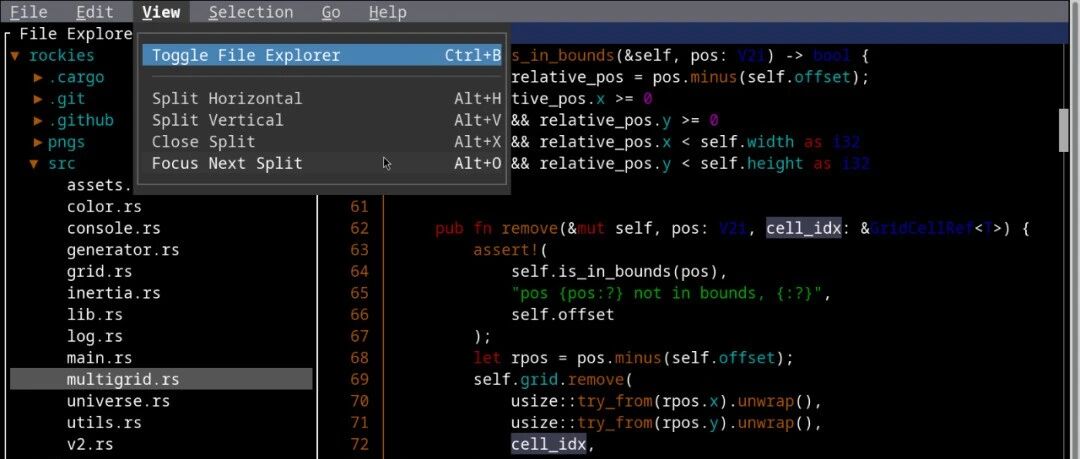
Core Viewpoint - Fresh is a lightweight terminal editor that offers a modern and intuitive editing experience similar to VS Code and Sublime Text, eliminating the need to remember complex commands for smooth editing [3]. Features - Fresh can handle multi-GB files with minimal memory usage and zero input delay, making it efficient for large file editing [5][10]. - It incorporates features from modern IDEs, including multi-cursor support, smart indentation, batch commenting, incremental search, global replace, and Git integration [6][10]. - The editor supports LSP (Language Server Protocol), providing professional-level features such as definition jumping, inline code diagnostics, and hover documentation [11]. User Experience - Fresh offers familiar keyboard shortcuts, complete mouse support, a visual menu, and a command palette for easy navigation [6][7]. - It includes a built-in file browser and terminal window, enhancing usability [7]. Installation - Fresh supports various operating systems, including macOS and multiple Linux distributions, with installation options like Homebrew, AppImage, Flatpak, and direct binary downloads [15][16][17].

下一代终端文本编辑器,可以安静写代码,不用跟插件打架了
菜鸟教程· 2025-07-02 01:08
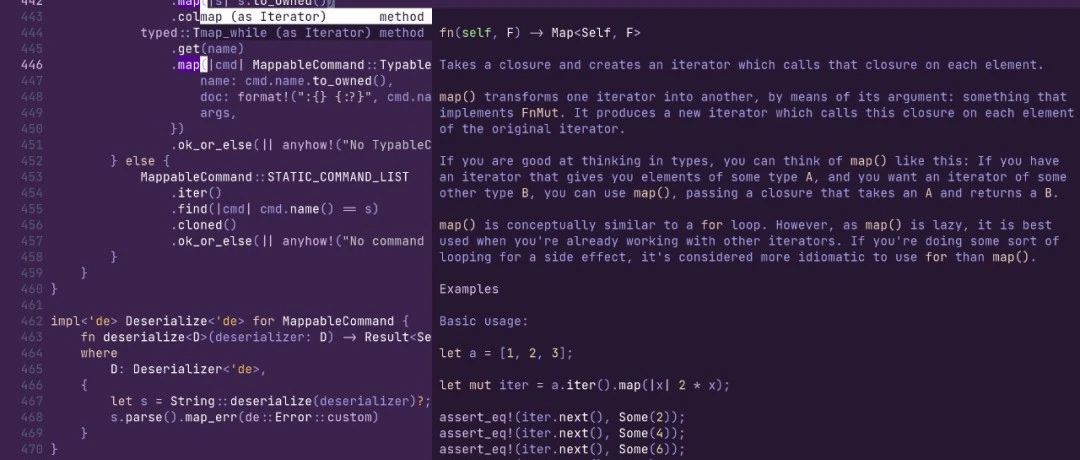
Core Viewpoint - Helix is a modern terminal editor that offers a user-friendly experience without the need for extensive plugin configurations, making it an ideal alternative for users who find Vim's complexity overwhelming and VSCode's resource usage unsatisfactory [2][8]. Group 1: Product Overview - Helix is inspired by Kakoune and Neovim, and is written in Rust [3]. - It is designed to be intelligent, efficient, and lightweight, supporting syntax tree-level code understanding [4]. Group 2: Key Features - Multi-cursor editing is a fundamental operation in Helix, allowing commands to apply simultaneously in multiple locations, inspired by Kakoune [6]. - Syntax-aware editing is enabled through tree-sitter integration, allowing users to select entire functions or JSON objects rather than just character blocks, enhancing syntax highlighting and indentation reliability [6]. - Built-in language server support provides features like auto-completion, definition jumping, error diagnostics, and documentation lookup without requiring additional plugin installations [6]. - Helix includes a built-in fuzzy searcher for file navigation, code symbol searching, and global searches, eliminating the need for external tools [6]. - The editor is optimized for terminal use, ensuring it does not slow down the system and is suitable for low-power environments [6]. - The default experience includes modern features such as automatic bracket completion, project-level navigation, and visual indentation lines [6]. Group 3: Design Philosophy - Unlike Vim, Helix is not a compatibility layer but a complete redesign, featuring clear key bindings and a simplified configuration file [7]. - Helix adopts a "select-operate" model, contrasting with Vim's "operate-select" approach [11]. Group 4: Installation Instructions - Installation methods for various operating systems are provided, including commands for Linux (Ubuntu, Fedora), macOS (Homebrew, MacPorts), and Windows (Winget, Scoop, Chocolatey) [10]. Group 5: Configuration and Usage - Helix's configuration is lightweight, with a default configuration file located at `~/.config/helix/config.toml`, allowing for easy customization [19]. - Basic operations include mode switching, text insertion, cursor movement, and command execution, with intuitive shortcuts for each action [14][18].