Apple

Search documents
Add an extra layer of protection by locking apps. Tip from Sibele at the Apple Store. #Shorts
Apple· 2026-02-13 17:01
♪ "Restless" by Bindy ♪ [POP] You can add an extra layer of protection to your Notes app. Long press an app on your Home Screen. Select Require Passcode and enter it.And now your app is for your eyes only. ...


Block out the noise with Voice Isolation. Tip from Eden at the Apple Store. #Shorts
Apple· 2026-02-10 17:00
[JACKHAMMERING] Sorry, I can't hear you right now. [POP] - New York can be pretty loud. Let me show you how to make your voice crystal clear on calls.During a call, swipe to open Control Center, tap Phone Controls. Under Audio & Video, tap Voice Isolation. That's it.You're good to go. ...

iPhone 17 Pro: Smart Group Selfies
Apple· 2026-02-07 13:08
(Speaking Thai) Let’s take a photo. ♪ “Party at My House” by Inspector Spacetime ♪ ♪ One, two, three, four ♪ ♪ Let’s throw a party ♪ ♪ It’s at my house ♪ ♪ and it’s starting right now everybody ♪ ♪ One, two, three, four ♪ ♪ Let’s throw a party ♪ ♪ It’s at my house ♪ ♪ and it’s starting right now everybody ♪ ♪ Party ♪ ♪ Let’s throw a party ♪ ♪ And have it at my house ♪ ♪ Right now ♪ ♪ Let’s throw a party ♪ ♪ Let’s throw a party ♪ ♪ Party ♪. ...

Turn your AirPods into a camera remote for iPhone. #Shorts
Apple· 2026-02-06 17:38
Did you know you can now use your AirPods to take a photo. Go to Settings, then open your Air Pods options. Scroll down and you will see an option called Camera Remote, tap on press once.Now when you are in the Camera App, simply press one of your AirPods like you would to pause your music. Your iPhone will automatically take a photo. This is super useful if you want to take group pictures from a distance.♪ ♪. ...
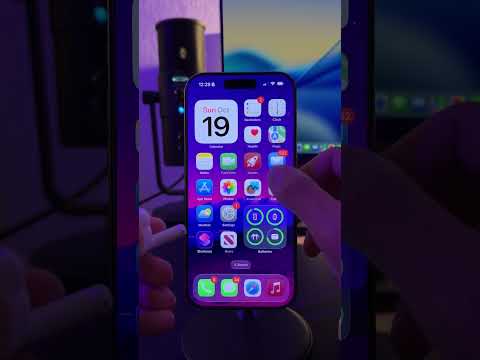
Convert currency with Calculator. Tip from Indiana at the Apple Store. #Shorts
Apple· 2026-02-05 17:04
♪ "warawara" by J. Lamotta ♪ [POP] So if you're out traveling and you want to convert your local currency, let me show you. Open the Calculator app and then select this button.Toggle on Convert currency. You can select from over a hundred different currencies, convert how you like, and this will make your trip so much simpler. ...

Get everyone in frame with Camera Remote on Apple Watch. Tip from Nathan at the Apple Store. #Shorts
Apple· 2026-02-03 17:11
♪ "Daffodils" by Cairo ♪ [POP] You can get everyone in frame with Camera Remote. On watch, tap the Camera Remote app. You can use your Apple Watch as a viewfinder for your iPhone camera to take photos and videos from a distance.Zoom by turning the Digital Crown. You can even adjust exposure by tapping the key area of the shot in the preview image. Take the photo by tapping the Shutter button.♪ .. now say, "Cheese". ...


Shot on iPhone 17 Pro | Chinese New Year - Glad I Met You: Backstage with Ke Ming | Apple
Apple· 2026-01-30 16:00
♪ Lively music ♪ ♪ [MUSIC SUDDENLY STOPS] [DOG BARKS] ♪ Jazzy music ♪ ♪ ♪ ♪ ♪ ♪ ♪ ♪ ♪ ♪ ♪ ♪ ♪ ♪ ♪ ♪ ♪ ♪ ♪ ♪ Warm music ♪ ♪ ♪ ♪ Lively music ♪ ♪ ♪ ♪ [MUSIC SUDDENLY STOPS] ♪ Lively music resumes ♪ ♪ ♪ ♪. ...

Shot on iPhone 17 Pro | Chinese New Year - Glad I Met You | Apple
Apple· 2026-01-30 16:00
[HAND SQUEAKING ON MIRROR] ♪ Quirky music ♪ ♪ ♪ ♪ [MUSIC SUDDENLY STOPS] ♪ Music resumes ♪ ♪ [MUSIC SUDDENLY STOPS] ♪ Mischievous music ♪ ♪ [CAT MEOWS] [SCOOTER BRAKING] [MUSIC SUDDENLY STOPS] [DOG WHIMPERS] ♪ Mischievous music resumes ♪ ♪ [DOG WHIMPERS] [DOG BARKS] ♪ [CAT MEOWS] ♪ ♪ ♪ [MUSIC FADES] ♪ Mischievous music resumes ♪ ♪ [DOG BARKS] ♪ [PEOPLE CHATTERING] [MUSIC SUDDENLY STOPS] [DOG WHIMPERS] ♪ Lively music ♪ ♪ [DOG BARKS] ♪ [DOG BARKS] ♪ ♪ [DOG BARKS] ♪ ♪ ♪ ♪ ♪ [PHONE RINGING] [MUSIC SUDDENLY STOP ...

Add your ID to your iPhone. Tip from Garryn at the Apple Store. #Shorts
Apple· 2026-01-29 17:00
At some point, we've got to be able to add our driver's license and our ID to our Apple Wallet. [POP] - You can add your ID to your Apple Wallet. All you have to do is open your Wallet, tap the plus sign, and choose Driver's License and ID Cards.If your ID is from a participating US state or territory, you'll be able to select it. This works with select TSA checkpoints, businesses, and venues. We've got you. ...

iOS26 Quick Tips in Messages. #Shorts
Apple· 2026-01-28 18:12
Did you know these new iMessage tricks. First, instead of hitting the plus then photos, to send a photo. You can do it way faster by just holding down on the plus sign.Next, if you want to respond to a specific message. Instead of long pressing the message and hitting reply. You can simply swipe right on the message to reply. Lastly, you can now add stickers to a message by double tapping the message. In addition, you can now add live stickers.To do this, click add sticker, hit the plus sign and click on th ...