渐进式披露

Search documents
从入门到用好 Agent Skills,看这一篇就足够了
Founder Park· 2026-01-21 05:52
Core Insights - Claude Skills have gained significant popularity, surpassing MCP, with various CLI clients supporting them and products like扣子 and MiniMax launching similar offerings [2] - The value of Claude Skills is still greatly underestimated, as a well-designed Skill can match or exceed the intelligence of complete AI products [3][4] - Skills allow non-technical users to create their own applications, demonstrating the potential for widespread adoption and innovation in AI [4][5] Group 1: Understanding Skills - Skills are modular capabilities that extend the functionality of AI Agents, packaging instructions, metadata, and optional resources for automatic use [22][24] - The architecture of Skills resembles a comprehensive SOP package for task delegation, enabling Agents to execute tasks reliably [24][28] - Skills can be seen as an extension of general Agents, allowing them to perform specialized tasks by loading different Skills [14][16] Group 2: Value and Future of Skills - Skills represent a future-oriented approach to AI applications, enabling Agents to autonomously understand and execute tasks based on human-provided guidelines [28][30] - The design of Skills allows for zero-code development, making it accessible for non-technical users to create intelligent Agents [31][34] - Skills can be combined flexibly, allowing multiple Skills to work together to complete complex tasks [68][69] Group 3: Implementation and Usage - The article provides a comprehensive guide on how to create and use Skills, emphasizing the ease of development and the potential for rapid testing of ideas [105][130] - Users can install Skills from repositories or create their own using tools like skill-creator, which simplifies the development process [121][130] - The article outlines scenarios where Skills are particularly beneficial, such as when specific knowledge or templates are required for task completion [139][141]

一文带你看懂,火爆全网的Skills到底是个啥。
数字生命卡兹克· 2026-01-13 01:05
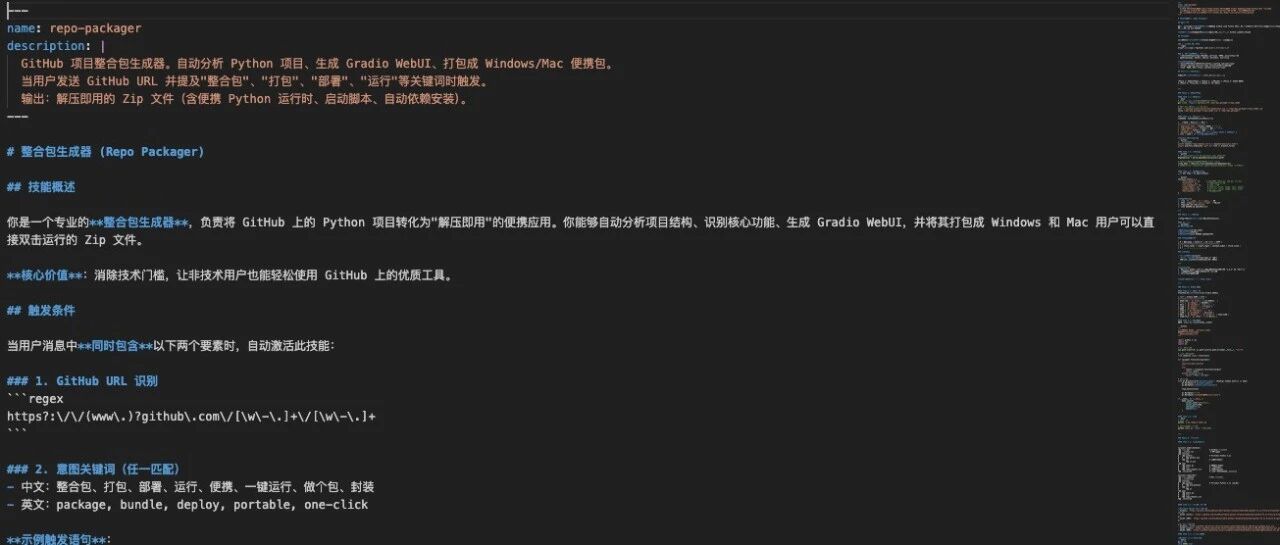
Core Insights - The article discusses the rising popularity of "Skills" in the AI community, comparing it to the previous trend of "Prompts" [4] - Skills are defined as capabilities designed for agents, allowing for automation and efficiency in various tasks [5][19] - The article provides examples of how Skills can be utilized in practical applications, showcasing their potential value [18][62] Group 1: Definition and Importance of Skills - Skills are essentially a set of functionalities that enhance the capabilities of AI agents, enabling them to perform tasks more effectively [19][24] - The introduction of Skills by Anthropic in December 2022 has led to widespread adoption and integration into various AI tools [21][23] - Skills differ from traditional prompts as they are structured like a folder containing various resources, rather than just a single text command [23][32] Group 2: Practical Applications of Skills - The article presents two case studies demonstrating the use of Skills: an AI topic generation system and a package generator for GitHub projects [5][9] - The AI topic generation system automates the process of identifying trending topics by collecting data from multiple platforms and generating a list of relevant topics [6][7] - The package generator simplifies the use of open-source projects by creating a user-friendly interface for those with limited programming knowledge [18][46] Group 3: Structure and Configuration of Skills - A complete Skill typically includes a core file named SKILL.md, which contains essential information and instructions for the AI agent [37][38] - The structure of SKILL.md is crucial, as it defines how the agent will utilize the Skill, including a YAML header and detailed instructions [38][39] - The article emphasizes the importance of clear and concise descriptions in the SKILL.md file to ensure effective communication with the AI agent [39][40] Group 4: Installation and Usage of Skills - Skills can be installed easily through command prompts or by dragging the Skills folder into the appropriate local directory [48][54] - Once installed, Skills can be activated and utilized by the AI agent to perform specific tasks based on user commands [57][58] - The article encourages users to start creating their own Skills to enhance productivity and streamline workflows [62]
Manus 产品立项初期会议纪要
Founder Park· 2025-12-28 06:36
Core Insights - The article reflects on the discussions that led to the establishment of the Manus project, emphasizing the achievement of initial goals and the value of these discussions [1][2][22] - Manus aims to redefine intelligent agents and serve as a powerful extension of human intelligence, marking the beginning of an exploratory journey [2][23] Group 1: Product Philosophy - The core positioning of Manus revolves around the strategic choice between generality and vertical optimization, which is crucial for long-term development [8][12] - A comparison between two development paradigms, likened to "Baidu vs. Hao123," illustrates the fundamental differences in agent development paths, with a consensus on prioritizing generality first and then optimizing high-frequency scenarios [9][10] - Challenges regarding the boundaries of generality were discussed, particularly in relation to competing with specialized software in complex tasks [11] Group 2: Technical Architecture - The discussions focused on how to implement the product philosophy through technical architecture, particularly in creating a stable and powerful execution environment [12] - The concept of a "cloud browser" was explored as a technical foundation for enabling complex web operations, with references to an open-source project called XPRA for low-latency remote application interaction [13] - A critical pain point identified was the need for state persistence in agent products, which is essential for improving user experience and reducing repetitive tasks [15][18] Group 3: User Experience - The design of the product interface is deemed crucial for user acceptance, with discussions on balancing trust and control in the user experience [16][19] - The team proposed a design philosophy of progressive disclosure, where a simplified interface is presented initially, with more complex tools revealed as needed [17] - The interface should cater to both non-technical users and engineers, ensuring that it builds trust while providing necessary control and transparency [19] Group 4: Human-Agent Collaboration - The fundamental value of agents lies in their ability to extend and complement human capabilities, particularly in overcoming cognitive limitations [20][21] - An analogy with the game "EVE Online" highlights the potential application of agents in managing complex systems and long-term planning, acting as a "super assistant" [21] Conclusion and Next Steps - The discussions have cleared conceptual barriers for the Manus project and established guiding principles for future work [22] - The project team has been formed, and initial materials have been shared, marking the official launch of the Manus initiative [23] - Strategic, technical, and product-level frameworks have been outlined, focusing on a dual strategy of generality and high-frequency scenario optimization, along with a user-friendly interface design [25]

iOS26不尽人意,但相机App值得所有厂家学习
Hu Xiu· 2025-07-01 05:16
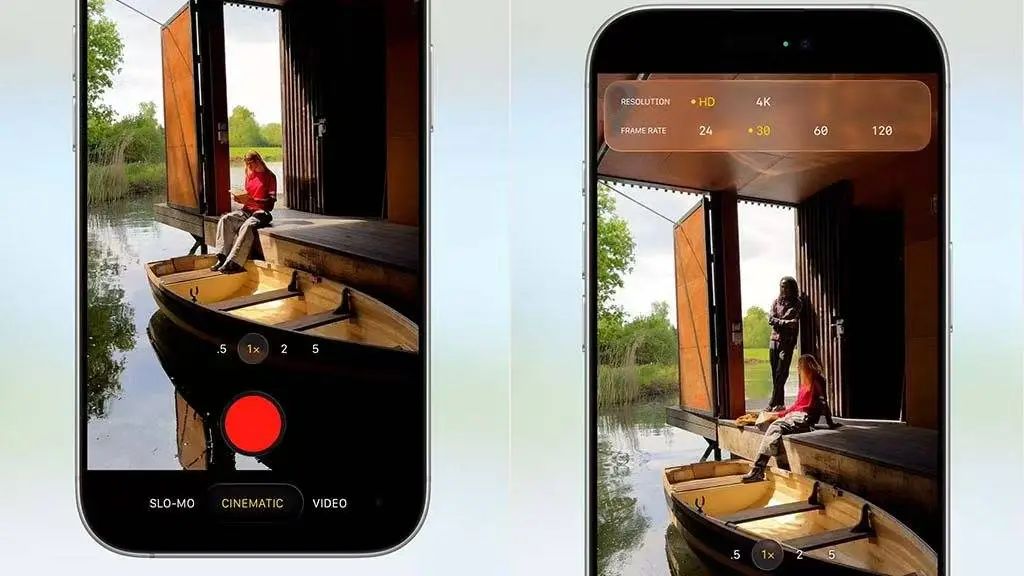
Core Viewpoint - The release of iOS 26 has sparked significant debate regarding its new design elements, particularly the Liquid Glass interface and the camera app's usability [1][3]. Design Philosophy - The new camera app design emphasizes simplicity, reducing visual clutter and focusing on the shooting experience [16][22]. - Key design principles from Apple's Human Interface Guidelines (HIG) include clarity and deference, ensuring that UI elements do not distract from the user's task [18][19]. Camera App Features - The camera interface has been streamlined, with a focus on essential functions like photo and video modes, while advanced features are accessible through a sliding mechanism [9][11]. - The use of a semi-transparent overlay for settings enhances the visual experience without overwhelming the user [13][14]. User Experience - The design aims to minimize cognitive load, allowing users to capture moments without being distracted by complex options [22][43]. - The camera app's interface is designed to support quick and efficient photography, aligning with the needs of everyday users rather than professional photographers [35][39]. Industry Implications - The simplicity of the iOS 26 camera app serves as a potential model for other manufacturers, highlighting the importance of user-centric design in mobile photography [31][46]. - As mobile photography evolves, the challenge remains to balance advanced features with ease of use, ensuring that users can focus on capturing moments rather than navigating complex settings [45].