Apple Immersive Video

Search documents
Hands-on experience with Spatial Audio for Apple Immersive Video | Meet with Apple
Apple Developer· 2025-12-10 00:01
Spatial Audio Design Principles - Immersive audio design should account for the entire visual frame, as viewers can explore different areas and focus on mini-stories within the scene [1][2][5][6] - Spatial audio should consider the sonic world behind the viewer, utilizing equirectangular representations to place sounds accurately in 360-degree space [7][8][9][10] - Headlocked stereo is suitable for elements like voiceover and narration, where the sound should remain constant relative to the viewer's ears, rather than being spatialized within the scene [12][13][14][15][42][43][44] DaVinci Resolve Fairlight Integration - DaVinci Resolve integrates editing, color correction, and Fairlight audio post-production, enabling a collaborative workflow without data exchange between pages [17][18] - Fairlight offers standard DAW tools, including faders, spatial panners (azimuth, elevation, Cartesian view), built-in EQ, dynamics processors (compressor, gate, limiter), and bus routing [18][19][20][21][22] - Fairlight supports ASAF (Apple Spatial Audio Format) master bus output, allowing for mixing in binaural, stereo, or speaker system configurations, optimized for the listening environment [23][24][25][26] - Buses can be set up in Fairlight to route audio signals to different destinations, including ambisonic formats for Apple Immersive Video [27][28] ASAF Workflow and Features - ASAF and ambisonics enable realistic positioning of sounds in the sound field, such as placing stereo sounds in the upper canopy of trees [37][38] - Headlocking in Fairlight can be achieved by routing a track to the main ASAF output, selecting the track, and enabling the headlocked option in the inspector [43] - DaVinci Resolve Fairlight's IntelliTrack, an AI-based tracker, automates complex pan moves by tracking objects in the video, saving time for audio engineers [52][53][54][55][56] Project Setup and Delivery - Apple Immersive Audio requires DaVinci Resolve Studio (the paid version) and enabling Apple Spatial Audio in the Video and Audio I/O preferences [57][58] - Final output for Vision Pro or master files can be delivered through the Deliver page, with options for Vision Pro Review or creating a master file bundle [58][59]

Hands-on experience with visual effects for Apple Immersive Video | Meet with Apple
Apple Developer· 2025-12-09 22:29
Immersive VFX Challenges & Solutions - Immersive VFX is more complex than traditional VFX due to stereo lenses, high frame rates (90 fps), and 8K resolution per eye [2] - Even simple VFX elements can have a significant impact in immersive environments if executed well [3] - Previsualization in 180 degrees is crucial for planning various aspects of production, potentially justifying budget through cost savings [4][5] - Data capture on set (HDRIs, photogrammetry, LiDAR scans, etc) is essential for adding elements, cleanup, and ensuring spatial awareness in stereo [6][7] - Camera tracking accuracy is critical due to the realistic stereoscopic depth in immersive experiences [9] - Reviewing VFX work in Apple Vision Pro is necessary at all stages to avoid discrepancies between 2D monitors and the final immersive output [10] DaVinci Resolve/Fusion Workflow for Immersive Video - DaVinci Resolve's Fusion tab offers tools for immersive VFX, including Immersive Patcher, LatLong Patcher, and Panomap [15][18] - The Immersive Patcher converts lens space images to rectilinear images for easier paint and compositing work, with adjustable angle of view [20][21] - The Panomap tool converts between different formats, such as immersive to lat-long, useful for stabilization and CG render mapping [23][24] - Fusion allows previewing work in the Apple Vision Pro headset by combining left and right eyes into layers using a combiner node [26][27] - DaVinci Resolve can pass through the ILPD metadata into EXRs, maintaining camera information throughout the VFX pipeline [74] - Spherical Stabilizer in Fusion can stabilize shaky camera footage by converting immersive space to lat-long space [86][87]
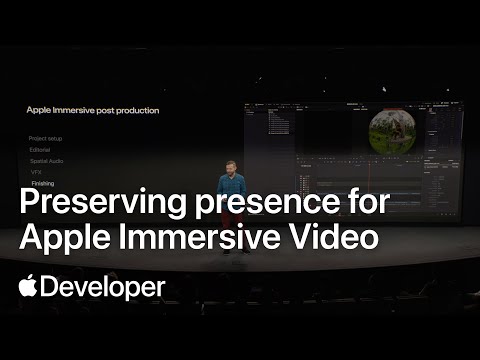
Preserving presence for Apple Immersive Video: Learnings from post production | Meet with Apple
Apple Developer· 2025-12-09 00:00
Immersive Video Post-Production Workflow - The immersive post-production phases are similar to traditional film or television projects, with a focus on creative aspects due to the new Blackmagic workflow simplifying technical considerations [1][2] - Apple Immersive Video emphasizes viewer presence, requiring post-production to protect and intentionally alter this sense [3] - Reviewing footage in Daily's Envision Pro and Resolve is crucial for identifying the best moments and addressing capture issues that could interfere with presence [4][5] - Apple immersive video enabled cameras, like the Blackmagic camera, address common immersive issues such as bad 3D sync and inaccurate world scale, simplifying the media workflow [6] Creative and Technical Considerations - Reviewing shots involves both monitor and Vision Pro to identify issues that can detract from presence, as issues must be assessed in Vision Pro [7][8] - Editorial cuts in immersive video are like transporting the viewer, requiring careful attention to timing, pacing, and information delivery to avoid viewer overload [9][10][11][12] - Editors consider z-space and viewer comfort when cutting, using techniques like dip to black to reset depth cues and guide attention [13][14] - Spatial audio is crucial for a convincing sense of presence, requiring mixers to ensure all expected sounds are audible, even if not the focus [15][16][17][18] - Visual effects in immersive video must adhere to the sense of presence, with elements like title graphics needing to exist in 3D space and integrate with the environment's light [23][24][25][26][27] Finishing and Color Grading - The finishing process addresses distractions from presence, such as image noise and compression artifacts, which are particularly noticeable in immersive video [28][29][30][31] - Creative color grading aims for an idealized reality, pushing the limits of authenticity while maintaining a realistic feel [31][32][33] - Color grading should be done with the experience of being inside the image in mind, utilizing live preview in Resolve to get the feeling just right [34] Key Takeaway - All creative and technical decisions should be made in Vision Pro to accurately assess the sense of presence [35][36][37]

Capturing live events for Apple Immersive Video: Learnings from "Metallica" | Meet with Apple
Apple Developer· 2025-12-08 19:42
Immersive Media Production - Key Takeaways - Immersive experiences aim to capture the feeling of being part of an event, not just observing it [5] - Access to prime locations is crucial for capturing immersive experiences, requiring negotiation and navigating legacy workflows [8] - Collaboration with artists is essential to understand their vision and design coverage accordingly [9][10] Technical Aspects of Immersive Capture - Stage mapping and choreography analysis are vital for strategic camera placement [10][13] - Previsualization in 3D environments like Vision Pro helps refine camera angles and movement [14] - Stabilized cameras and dynamic rigs like Steadicams and Spidercams are necessary to match the energy of live events [16][17] Overcoming Traditional Limitations - Traditional long lenses and camera pit placements are not effective for immersive capture [6][7] - Immersive capture requires breaking down the wall between artist and fan [10] - The goal is to make the audience feel like they are on stage with the performers [6]
Hosting and distributing Apple Immersive Video | SpatialGen | Meet with Apple
Apple Developer· 2025-12-05 19:23
SpatialGen Platform Overview - SpatialGen is designed for spatial computing, handling multi-terabyte files and streaming unique video formats [3] - The platform supports visually lossless formats like ProRes and Resolve release exports [3] - SpatialGen offers a free macOS app for uploading ProRes files, AIM bundles, and Final Cut zip files, supporting 2D and 3D spatial videos including Apple Immersive Video [5] - Users can upload videos via browser, tagging video characteristics, adding audio tracks and subtitles [5] - SpatialGen allows real-time updates to audio and subtitles without downtime, with options for setting resolutions and bitrates or using auto-configured options [6] Apple Immersive Video Streaming - Apple Immersive Video streams are fully automated, with Spatial Audio building dynamic metadata [7] - Digital rights management (DRM) is supported to prevent piracy, including Apple's Fairplay DRM [7][8] - SpatialGen provides HLS links for Apple Immersive Video, enabling distribution on Vision Pro, multiple Apple platforms, and custom apps [8][9] - SpatialGen's API allows integration into any app or website, with a published Streams endpoint for testing before launch [9] Performance and Quality - SpatialGen uses quality metrics like VMAF, aiming for scores over 90, and has achieved significant improvements in VMAF scores even at low bitrates like 30mbps [14][15] - SpatialGen monitors and embeds developments around Foveation into the platform [15][16] Use Cases and Applications - SpatialGen is trusted by brands and creatives, powering experiences on Vision Pro [10] - The platform is leveraged for enterprise use cases, including pilot training and defense workflows [11] - SpatialGen has contracts with the United States Air Force and is used by Immersive India to reduce costs [12]
Dailies and mastering for Apple Immersive Video | Colorfront | Meet with Apple
Apple Developer· 2025-12-04 23:00
Colorfront's Solutions for Apple Immersive Video - Colorfront aims to empower storytellers by providing tools that push the boundaries of immersive video creation [1] - Colorfront's software runs natively on macOS and is optimized for Apple Silicon, ensuring top performance [3] - Colorfront Onset Dailies delivers a streamlined, color-accurate workflow, ensuring what is seen on set matches the final experience on Apple Vision Pro [4] - Colorfront Transcoder ensures every frame is delivered with precision, meeting the highest industry standards for quality and performance [5] Technology and Industry Recognition - Colorfront's color science and media processing are built on the Colorfront Engine, trusted by major productions [6] - Colorfront's innovations have been recognized with scientific and technical awards from the Academy of Motion Picture Arts and Sciences and the Television Academy [7] - Colorfront's tools are used by Apple TV Studios, Disney, Sony Pictures, Company 3, and Picture Shop [8] - Colorfront supports Apple's content creation, powering immersive experiences with high-quality workflows, as seen in titles like Metallica [9] Workflow and Performance Enhancements - Colorfront captures, displays, and carries forward rich metadata, preserving critical information throughout the workflow [13] - Colorfront supports AIV for instant playback in Apple Vision Pro and ProRes AIM for offline editorial workflows [16] - Colorfront's distributed rendering allows workflows to scale across multiple systems, improving performance by up to 300% [17][19] - Colorfront integrates the MainConcept Immersive Encoding Library to enhance video quality and performance for Apple Immersive Video [20]
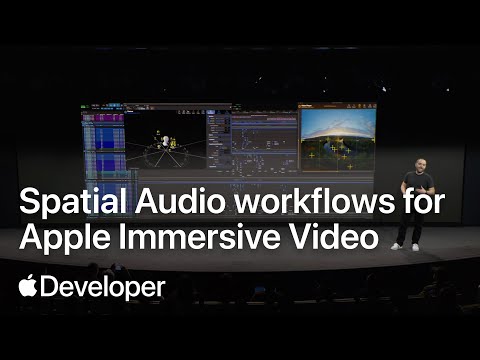
Spatial Audio workflows for Apple Immersive Video | Meet with Apple
Apple Developer· 2025-12-04 18:33
Spatial Audio Acquisition - Industry emphasizes recording Ambisonics spatial audio from the camera's perspective, especially in documentary filmmaking, to capture the entire sonic environment [7] - Industry suggests using mono recordings in addition to spatial recordings for dialog, prioritizing individual mics due to the wide field of view in immersive experiences [13][14] - Industry highlights the availability of various ambisonic microphones with similar form factors to regular shotgun microphones, offering options for different needs and budgets [10] Sound Editorial - Sound editorial involves assembling and layering dialog, sound effects, and music, similar to standard post-production [15] - Industry recommends using Foley and Ambiances to build immersion by focusing on small, everyday sounds [19][20] - Industry suggests compiling and assembling all sound sources, including multiple spatial mics and individual mono ISOs, during sound editorial [18] Spatial Mix - Industry advises anchoring sounds to visual elements using Apple Spatial Audio instead of relying on a center channel, as the audience is inside the scene [26] - Industry recommends mixing on headphones to ensure the mix translates well with regards to perspective and dynamic range [30] - Industry stresses the importance of reviewing work on Apple Vision Pro to accurately judge distance, perspective, and sound positioning [31]
An introduction to capturing Apple Immersive Video | Meet with Apple
Apple Developer· 2025-12-04 00:00
Camera & Equipment Preparation - For expedition shoots, under 100W travel-safe, stackable V-mount batteries are essential for power [4] - 16 terabyte media modules are recommended for prioritizing the moment, but long download times should be planned for [7] - Overpacking media and power is recommended to avoid limitations in the field [8] Monitoring Solutions - Internal LCD wing is an excellent mobile monitoring option for quick deployments [10] - Single eye monitoring is fantastic for heli work, gimbal techs, crane techs, and underwater operations [12] - Dual I monitoring is important for checking lens consistency and avoiding issues like bugs on the lens [12] Aerial Equipment & Considerations - Heavy lift drones like Alta X have limited battery time (approximately 5 minutes) in cold weather [16] - Planning for VFX costs is necessary to remove blades and booms from final footage when using Alta X [17] - Cablecam allows for intimate shots without disturbing wildlife [18] Dailies & Post-Production - Dailies are essential for confirming the frame, especially since the composition can only be accurately assessed in a Vision Pro [20] - A small slimline Mac Pro with multiple raids is ideal for confirming shots in the field, while a cart with multiple Mac studios is suitable for faster backup and processing power on land [21]
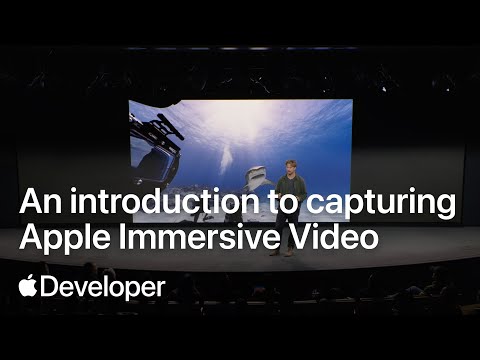
Meet the Apple Immersive Video format | Meet with Apple
Apple Developer· 2025-12-03 20:52
Apple Immersive Video (AIV) Key Features - AIV aims for perfect fidelity, targeting 20/20 vision (60 pixels per degree) and a field of view between 180 and 230 degrees [3][4][20] - AIV uses dynamic bespoke projection, eliminating the need for lat long conversion, saving production time and storage space [5][6] - AIV emphasizes world scale, using accurate lens calibration data (ELPD file, approximately 50kB) to avoid warping and stitching artifacts [7][8][9] AIV Technical Specifications and Workflow - AIV capture and playback occur at a minimum of 90 frames per second and 7200x7200 resolution per eye, resulting in a 44x increase in pixels compared to 4K [11][12] - AIV production format uses ProRes, uncompressed, or Raw, while delivery format uses a lightweight video track (MV-HEVC) and Apple Positional Audio Codec (APAC) [27][28][29] - AIV ecosystem is designed for simplicity, with all-in-one cameras, 2D-like editing workflows, and a streamlined encode and delivery pipeline [21][22] AIV Acuity and Delivery - AIV uses acuity (pixels per degree) as a key metric, targeting 60 pixels per degree to achieve a sense of presence [16][20] - AIV employs foveation, a special imaging process, and MV-HEVC tuned encoders to preserve acuity while reducing image sizes for efficient delivery (target delivery size of 4320x4320 per eye) [34][35][36][37][38] - AIV incorporates motion data into every shot, allowing creators to visualize camera motion in the timeline and use it as a story tool [39][40][41]
Day 2 | Create immersive media experiences for visionOS | Meet with Apple
Apple Developer· 2025-10-08 19:21
visionOS Development - The document focuses on creating interactive experiences for visionOS, Apple's operating system for spatial computing [1] - It highlights a multi-day activity, including a Day 2 livestream, dedicated to Apple Immersive Video and Apple Spatial Audio [1] - The activity aims to teach developers how to create new media experiences using Apple Immersive Video and explore related production workflows [1] Apple Immersive Video - The document emphasizes getting started with Apple Immersive Video and exploring previous productions using this technology [1] - It suggests that Apple Immersive Video is a key component for creating entirely new media experiences on visionOS [1] Resources for Developers - The document provides links to various Apple Developer resources, including video sessions, documentation, and forums [1] - It also mentions the Apple Developer App as a resource for developers [1]