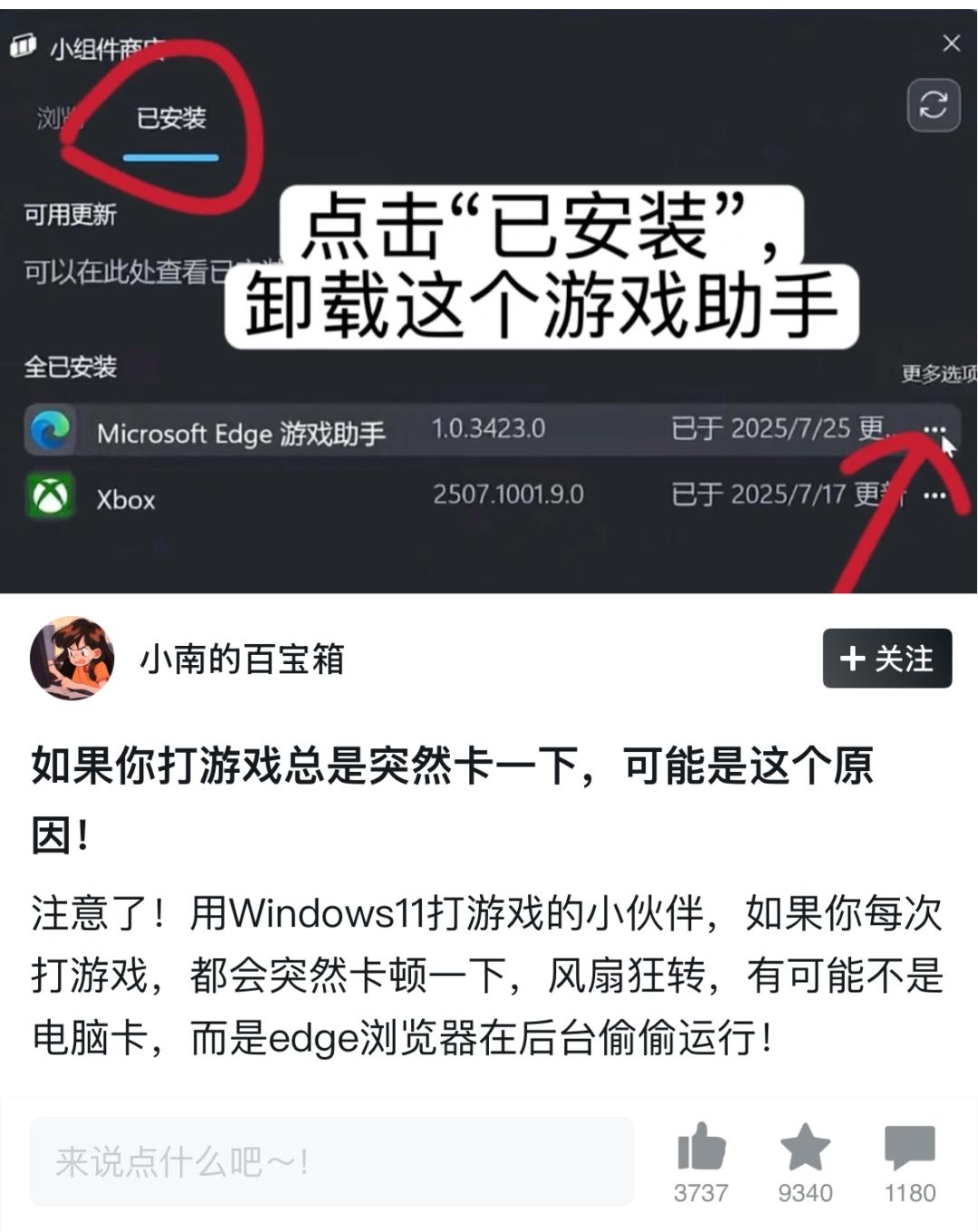
Edge游戏助手

Search documents
微软出了个“游戏搭子”,但劝你先别急着用
3 6 Ke· 2025-10-09 09:28
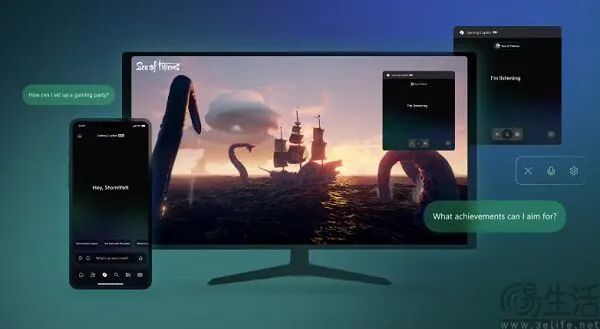
Core Viewpoint - The introduction of Microsoft's Gaming Copilot aims to enhance the gaming experience by providing real-time assistance to players, addressing a growing demand for AI-driven support in gaming [1][10]. Group 1: Product Features - Gaming Copilot operates through voice commands, allowing players to interact without interrupting their gameplay, unlike previous products that required switching applications [3][5]. - The integration with Windows Game Bar enables seamless access to game strategies while playing, leveraging advanced multimodal AI capabilities [6]. - The product is designed to cater to the interactive nature of games, which are often easy to start but challenging to master, thus fulfilling a critical need for players seeking guidance [6][8]. Group 2: Market Context - The rise of mobile gaming has shifted player demographics, with casual gamers becoming the majority, influencing game design towards more accessible experiences [8]. - There is a notable change in player attitudes towards game guides, with acceptance growing as developers also provide assistance, reflecting a shift in the gaming culture [8][10]. Group 3: Competitive Landscape - Gaming Copilot is not the first AI gaming assistant; similar products have been launched by Google and NVIDIA, but Microsoft's offering is distinguished by its real-time, non-intrusive support [3][5]. - The competitive edge lies in its ability to provide immediate assistance without disrupting gameplay, a significant improvement over existing solutions [5][6]. Group 4: Potential Concerns - Previous experiences with Microsoft's Edge Game Assistant raised concerns about performance issues during gameplay, leading to skepticism about the reliability of Gaming Copilot [10][11]. - The complexity of Gaming Copilot's functionality may increase the likelihood of performance-related problems, suggesting caution for early adopters [11].


当年吹爆Edge浏览器的我,现在像个小丑
创业邦· 2025-08-11 00:08
Core Viewpoint - The article discusses the negative impact of the "Edge Game Assistant" on gaming performance, highlighting how it consumes significant system resources and disrupts user experience, ultimately serving Microsoft's interests rather than those of the users [6][21][90]. Group 1: Edge Game Assistant Issues - Users have reported that the Edge Game Assistant causes games to lag and perform poorly, with some experiencing frame drops and crashes [22][23]. - The Game Assistant operates as an unwanted background process, consuming substantial memory (e.g., 6GB in some cases) and leading to performance degradation in games like PUBG and Apex Legends [25][23]. - Even when users attempt to disable or uninstall the Game Assistant, it reactivates upon system reboot due to its self-starting nature [34][36]. Group 2: User Experience and Control - The Edge Game Assistant is designed to enhance gaming by allowing users to access guides without leaving the game, but it often results in the opposite effect, hindering performance [19][21]. - Users find it difficult to change default settings or uninstall Edge, with processes requiring multiple steps and often reverting after system updates [65][72]. - The article emphasizes that Microsoft's design choices prioritize its own ecosystem over user autonomy, leading to frustration among users who feel their choices are being undermined [58][90]. Group 3: Microsoft's Strategy - The article suggests that Microsoft's strategy has shifted from user service to self-serving tactics, with Edge being used as a tool to promote other Microsoft services and products [51][90]. - The introduction of various non-essential features in Edge, such as shopping tools and news feeds, has contributed to its bloated nature, detracting from its original purpose as a browser [54][58]. - The article concludes that Edge has become a vehicle for Microsoft's broader corporate goals, rather than a user-friendly browser, leading to a significant decline in its reputation [42][90].

当年吹爆Edge浏览器的我,现在像个小丑
3 6 Ke· 2025-08-07 01:10
Core Viewpoint - The article discusses the negative impact of the Microsoft Edge Game Assistant on gaming performance, highlighting user frustrations with its automatic startup and resource consumption, which detracts from the gaming experience [2][12][22]. Group 1: Edge Game Assistant Issues - Users have reported that the Edge Game Assistant causes significant lag and performance issues during gaming sessions, leading to frustration and poor gameplay experiences [2][12]. - The Game Assistant operates as an unwanted background process, consuming substantial memory resources, which can lead to games crashing or lagging [12][18]. - Users have found that terminating the Edge Game Assistant in the task manager can resolve these performance issues, indicating its detrimental effect on gaming [2][20]. Group 2: User Experience and Feedback - Many users have shared their experiences in online forums, confirming that the Game Assistant's presence correlates with increased memory usage and decreased game performance [12][16]. - The article notes that despite the Game Assistant being designed to enhance the gaming experience, it has instead become a source of frustration for many gamers [22][25]. - The article emphasizes that users feel a lack of control over the Game Assistant, as it automatically restarts even after being disabled or uninstalled [22][24]. Group 3: Microsoft Edge's Evolution - The article traces the evolution of Microsoft Edge from a promising browser to one that prioritizes Microsoft's interests over user experience, leading to a decline in its reputation [27][31]. - Initially, Edge was well-received for its performance and features, but over time, it has become bloated with unnecessary functionalities that detract from its core purpose [28][36]. - The article suggests that Edge's current strategy reflects a shift in focus from user service to fulfilling internal corporate objectives, which has alienated many users [66][70].