个人所得税App

Search documents
个税App无法登录了?别着急,教您如何解决操作步骤
蓝色柳林财税室· 2026-03-30 09:51
Group 1 - The article provides guidance on how to reset the password for the personal income tax app under different scenarios, including when the phone number has changed or when the device has been replaced [4][6][10][12] - It outlines three specific situations: 1) Keeping the same device but changing the phone number, 2) Changing the device but keeping the same phone number, and 3) Changing both the device and the phone number [6][10][12] - For each situation, the article details the verification methods available, such as using a linked phone number or bank card for authentication [7][8][12] Group 2 - The article emphasizes the importance of remembering the app password and suggests using biometric features like fingerprint or facial recognition for easier access [5] - It also mentions the specific requirements for creating a new password, including length and character type [4]


如何下载使用个人所得税App?操作步骤
蓝色柳林财税室· 2026-03-28 01:18
Group 1 - The article provides a step-by-step guide on how to download and use the Personal Income Tax App for the 2025 annual income tax settlement [2][3][4] - It details the installation process for Android users, including searching for the app in the software store and clicking "Install" [4][6] - After installation, users are instructed to agree to the privacy policy and log in or register to access their personal information [6][8][10] Group 2 - The article includes a Q&A section where a manufacturing company inquires about the timing of income recognition for tax purposes related to a prepayment received in 2025 for goods delivered in 2026 [17] - The response clarifies that income should be recognized when the goods are delivered and accepted, which in this case is in 2026, following the accrual basis of accounting [19][20] - It emphasizes that the recognition of sales revenue must adhere to specific criteria, including the transfer of risks and rewards, and the ability to reliably measure the income [20]

如何在个人所得税App和自然人电子税务局Web端填报《个人所得税其他经营所得纳税(A表)》
蓝色柳林财税室· 2026-03-27 08:21
Core Viewpoint - The article provides a detailed guide on how to declare other business income using the Personal Income Tax App and the Natural Person Electronic Tax Bureau Web portal, emphasizing the steps and requirements for accurate tax reporting [1][2][3]. Group 1: Declaration Process - The declaration of other business income (A form) can be done through two methods: the Personal Income Tax App and the Natural Person Electronic Tax Bureau Web portal, with slight differences in operation but similar overall processes [1][2]. - Users must log in using their ID number and phone number or biometric recognition, then navigate to the appropriate section for business income declaration [2][3]. Group 2: Filling Information - After logging in, users select the tax year and fill in basic information, including the tax period and their habitual residence, which cannot be changed within the same tax year [3][4]. - Users must accurately report income sources, including entrusted collection income, invoice income, and any allowable deductions such as previous year losses and personal donations [4][5]. Group 3: Tax Calculation - The taxable income is calculated based on the formula: Taxable Amount = Taxable Income × Tax Rate - Quick Deduction [6]. - Users can also report any tax exemptions or benefits from tax treaties, and the system will automatically calculate the payable tax amount after considering pre-paid taxes [5][6]. Group 4: Submission and Confirmation - Once all information is filled out, users can submit their declaration and, if necessary, proceed to pay any taxes owed online [6]. - A confirmation of successful submission will be displayed, allowing users to check their declaration records afterward [6].

如何在自然人电子税务局 Web端和个人所得税App 填报《个人所得税其他经营所得(B表)》操作步骤
蓝色柳林财税室· 2026-03-26 08:33
Core Viewpoint - The article provides a detailed guide on how individuals can file the "Personal Income Tax Other Business Income (B Form)" through the Natural Person Electronic Tax Bureau Web and the Personal Income Tax App, emphasizing the importance of timely and accurate tax reporting for individuals engaged in business activities [3][4][5]. Group 1: Filing Process on the Web - Step 1: Log into the Natural Person Electronic Tax Bureau using the official website and complete the real-name login [4]. - Step 2: Navigate to the tax declaration section by clicking on "I want to pay taxes" and then "Tax declaration" followed by "Other business income (B Form)" [4]. - Step 3: Select the tax year for the declaration and confirm [4]. - Step 4: Enter personal declaration information, including residence details, and proceed [5]. - Step 5: Input income and cost information, ensuring all required fields are filled accurately [5]. - Step 6: Record any tax adjustments, if applicable, and continue [5]. - Step 7: Fill in other pre-tax deductions, such as previous year losses and allowable deductions, and proceed [5]. - Step 8: Confirm all information is correct before submitting the declaration and follow prompts for tax payment or refund requests [5][6]. Group 2: Filing Process on the App - Step 1: Open the Personal Income Tax App and complete the real-name login [6]. - Step 2: Access the business income declaration section by selecting "Business Income Declaration" and then "Other Business Income (B Form)" [6]. - Step 3: Choose the tax year and start the declaration process [7]. - Step 4: Verify the tax period and residence information before proceeding [7]. - Step 5: Enter income and cost information, ensuring accuracy in the reported figures [7]. - Step 6: Fill in any tax adjustment information as necessary and continue [8]. - Step 7: Input other pre-tax deductions, including previous year losses and allowable deductions, and proceed [8]. - Step 8: Review the tax calculation for accuracy before submitting the declaration and follow prompts for tax payment or refund requests [8].

个税汇算必看!这些证书能抵扣个税→操作步骤
蓝色柳林财税室· 2026-03-23 01:45
Group 1 - The article discusses the process for taxpayers to claim special deductions for continuing education related to professional qualifications, allowing a deduction of 3,600 yuan in the year the qualification is obtained [4][5] - Taxpayers can also deduct 400 yuan per month for continuing education expenses related to degree education, with a maximum deduction period of 48 months, totaling up to 4,800 yuan per year [4][5] - The article outlines the steps for submitting the deduction through the personal income tax app, emphasizing the need to prepare relevant information beforehand [5][4] Group 2 - It is highlighted that only qualifications listed in the National Occupational Qualification Directory are eligible for the continuing education deduction [5][4] - The article specifies that if multiple professional qualifications are obtained in the same year, only one deduction can be claimed [5] - The article provides a reminder that the deduction for continuing education must be submitted annually [5]

个人所得税App|如何通过个人所得税App自行申报生育津贴免税收入操作步骤
蓝色柳林财税室· 2026-03-23 01:45
Core Viewpoint - The article discusses the process for individuals to declare tax-exempt maternity benefits and medical expenses through the Personal Income Tax App, in accordance with the regulations set by the Ministry of Finance and the State Administration of Taxation [3]. Group 1: Tax Exemption Policy - Maternity benefits and medical expenses received by women in childbirth are exempt from personal income tax as per the regulations established by local governments [3]. - The relevant policy is outlined in the notice issued by the Ministry of Finance and the State Administration of Taxation, which specifies that these benefits fall under the category of maternity insurance [3]. Group 2: Declaration Process - Individuals can log into the Personal Income Tax App to declare their tax-exempt maternity benefits during the annual comprehensive income settlement period [10]. - The steps include selecting the "Other Tax-Exempt Income" option in the standard declaration interface and adding the relevant income [4]. - The declaration period for making appointments runs from February 25 to March 20, with specific hours for logging in to the app [10].

【轻松办税】年度内更换工作,个税专项附加扣除应如何操作?操作步骤
蓝色柳林财税室· 2026-03-21 01:46
Group 1 - The article discusses the process of updating personal income tax deductions when changing jobs, specifically focusing on the modification of special additional deductions through the personal income tax app [1][4]. - Users are guided to log into the "Personal Income Tax" app, navigate to the "Special Additional Deductions" section, and modify their declaration method to reflect their new employer [3][4]. - If the new employer's name does not appear in the app, users are advised to check their employment information and contact the new employer for verification if necessary [4][5]. Group 2 - The article mentions the timeline for the review of the 2025 tax payment credit evaluation results, which is expected to be published in April 2026, and outlines the process for disputing evaluation results [9][10]. - Taxpayers can apply for a review of their credit evaluation results before the end of March 2026, and the tax authority will complete the review within 15 working days after receiving the application [10][11]. - The electronic tax bureau provides a platform for taxpayers to submit review applications, including the necessary documentation [11][12].

明天起无需预约!个税汇算操作一图看懂
券商中国· 2026-03-20 13:02
Core Points - The article discusses the annual individual income tax reconciliation process in China, which will not require an appointment from March 21 to June 30, allowing taxpayers to complete it at their convenience [1]. Group 1: Tax Reconciliation Process - Taxpayers need to download the official personal income tax app from the State Taxation Administration to begin the reconciliation process [3]. - After logging into the app, users can access the "2025 Comprehensive Income Annual Reconciliation" section and click "Start Declaration" [6][9]. - The annual reconciliation for 2025 started on March 1, and over 100 million people are expected to participate [8]. Group 2: Eligibility and Requirements - Taxpayers who have pre-paid individual income tax and meet certain conditions must complete the annual reconciliation [34]. - Those who have a total income exceeding 120,000 yuan and need to pay additional taxes exceeding 400 yuan must also complete the reconciliation [35]. - Specific deductions such as for children’s education, medical expenses, and housing loans can be claimed during the reconciliation process [36][37]. Group 3: Important Considerations - Taxpayers should carefully read the declaration instructions and confirm their personal information, including their employment status and income sources [12][14]. - The system will automatically calculate the taxable income based on the information provided, including income, expenses, and deductions [17][20]. - Taxpayers can choose to declare their annual bonus either as part of their comprehensive income or separately, which can affect the tax calculation [18][45]. Group 4: Common Issues and Solutions - If taxpayers mistakenly modify their income or deduction information during the declaration, they can reset their declaration through the app [42]. - In case of errors after submitting a tax refund application, taxpayers can file a correction declaration [43]. - Taxpayers should ensure their identity information is correct to avoid issues with tax refunds [44].
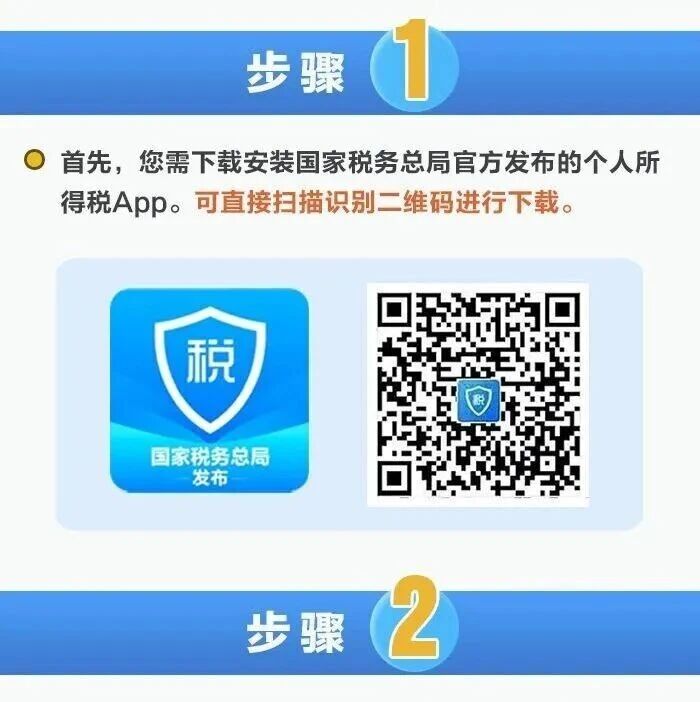
个人所得税App|看过来!自然人反向开票后如何办理经营所得汇算清缴?操作步骤
蓝色柳林财税室· 2026-03-19 01:57
Group 1 - The article discusses the process for individuals to handle income tax settlement after receiving "reverse invoices" from resource recovery enterprises, as per the announcement by the State Taxation Administration [3][10]. - Individuals must log into the personal income tax APP and navigate to the "Business Income Declaration" section to begin the process [4]. - The system will pre-fill information such as the seller's name, total "reverse invoice" amount, and prepaid tax amount based on the taxpayer's historical data [6]. Group 2 - Taxpayers can confirm or correct the pre-filled information and submit their declaration, which will lead them to the tax refund or payment page [8]. - Individuals who have received "reverse invoices" and also invested in individual businesses, sole proprietorships, or partnerships must file separate income tax settlements with the relevant tax authorities [10]. - The article highlights the importance of adhering to the rules of the prize invoice activity, noting that violations such as issuing false invoices or manipulating invoices for better winning chances will be monitored and penalized [15][17].

如何在个人所得税App填报《个人所得税经营所得纳税申报表(C表)》操作步骤
蓝色柳林财税室· 2026-03-13 01:46
Group 1 - The article discusses the annual tax filing period for individual income tax on business income in China, which runs from January 1 to March 31 [3] - Taxpayers earning business income from multiple sources must file their tax returns separately with the local tax authorities and submit the annual summary declaration form [3][5] - The process for filing the business income tax declaration (C form) is outlined, including steps for logging into the tax app and selecting the appropriate tax year for submission [4][7][9] Group 2 - The article details the steps for entering information into the tax declaration system, including selecting the summary location and confirming the accuracy of the submitted information [9][12] - After entering the necessary data, the system calculates the tax amount owed or refundable based on the submitted information, allowing for adjustments if needed [12][15] - Taxpayers eligible for tax reduction policies will receive automatic notifications within the system, prompting them to review the details of the tax relief [12][15]