AMD

Search documents
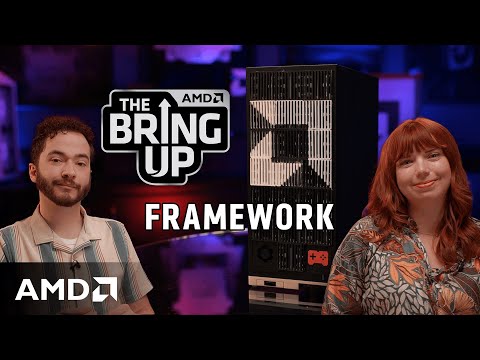
A Modular Solution to E-Waste
AMD· 2025-09-02 19:00
50 million tons of e-waste every year? Framework has another idea: laptops that are modular, repairable, and built to evolve. Certain AMD technologies may require third-party enablement or activation. Supported features may vary by operating system. Please confirm with the system manufacturer for specific features. No technology or product can be completely secure. GD-18b. *** Subscribe: https://bit.ly/Subscribe_to_AMD Join the AMD Red Team Discord Server: https://discord.gg/amd-gaming Like us on Facebook: ...



Modernize your database infrastructure with AMD EPYC
AMD· 2025-09-02 17:08
Learn the smart way to up-level your SQL deployment to meet the challenges of the AI era. *** Subscribe: https://bit.ly/Subscribe_to_AMD Join the AMD Red Team Discord Server: https://discord.gg/amd-gaming Like us on Facebook: https://bit.ly/AMD_on_Facebook Follow us on Twitter: https://bit.ly/AMD_On_Twitter Follow us on Twitch: https://Twitch.tv/AMD Follow us on LinkedIn: https://bit.ly/AMD_on_Linkedin Follow us on Instagram: https://bit.ly/AMD_on_Instagram ©2025 Advanced Micro Devices, Inc. AMD, the AMD Ar ...

Modularity & Repairability with Framework | The Bring Up
AMD· 2025-09-02 16:00
Industry Problem & Framework's Solution - The electronics industry generates over 50 million tons of e-waste annually, equivalent to 150 Empire State buildings worth of garbage [3] - Framework addresses this issue by designing highly modular, repairable, and upgradable computers, empowering consumers to repair their own systems [4] Product Highlights - Framework offers a 16-inch laptop with a Ryzen 7000 series processor, suitable for travel production [5] - The company is launching a new 13-inch laptop with AMD Ryzen AI 300 series processors and a Framework desktop with a 4.5-liter chassis [6][7] - The Framework desktop is powered by the AMD Ryzen AI Max+ 395 processor, rivaling high-end desktop systems in performance [8] - The Framework desktop comes with up to 128 GB of unified memory operating at up to 256 GB per second [9][11] Modularity and Repairability - Framework systems are designed for easy reconfiguration and repair, with tool-less port changes and simple disassembly [15][16] - The laptops feature captive screws and readily available replacement parts on the Framework website [17][20] - Framework provides open-source design documentation and CAD files on GitHub, enabling users to create custom modules [22]
Modernize your database infrastructure with AMD EPYC
AMD· 2025-09-02 15:00
Company Information - AMD encourages users to subscribe to their channel for updates [1] - AMD invites users to join the AMD Red Team Discord server [1] - AMD maintains presences on Facebook, Twitter, Twitch, LinkedIn, and Instagram [1] Legal and Trademark - The document contains a copyright notice for 2025 Advanced Micro Devices, Inc [1] - AMD, the AMD Arrow Logo, and combinations thereof are trademarks of Advanced Micro Devices, Inc in the United States and other jurisdictions [1] - Other names mentioned are for informational purposes only and may be trademarks of their respective owners [1]
Take Creativity Beyond Imagination
AMD· 2025-09-02 10:58
Unleash advanced AI processing with an AI PC powered by AMD Ryzen™AI. #AMD #TogetherWeAdvance *** Subscribe: https://bit.ly/Subscribe_to_AMD Join the AMD Red Team Discord Server: https://discord.gg/amd-gaming Like us on Facebook: https://bit.ly/AMD_on_Facebook Follow us on Twitter: https://bit.ly/AMD_On_Twitter Follow us on Twitch: https://Twitch.tv/AMD Follow us on LinkedIn: https://bit.ly/AMD_on_Linkedin Follow us on Instagram: https://bit.ly/AMD_on_Instagram ©2025 Advanced Micro Devices, Inc. AMD, the AM ...

Using Power Design Manager (PDM) for AMD Spartan™ UltraScale+™ Devices
AMD· 2025-08-22 16:45
Overview of AMD Power Design Manager (PDM) - AMD Power Design Manager (PDM) is used for AMD Spartan™ UltraScale+™ FPGAs [1] - The video guides engineers on how to streamline power analysis and design with Spartan UltraScale+ devices [1] Key Features and Enhancements - PDM improves packaging and power planning compared to traditional tools like XPE [1] - PDM helps to estimate device power requirements [1] Integration and Data Exchange - PDM can be integrated through the AMD Unified Installer [1] - PDM can exchange data with AMD Vivado™ design suite and XPE [1]
AMD Vivado™ Design Suite Tutorial Targeting AMD Spartan™ Ultrascale+™ FPGAs
AMD· 2025-08-22 16:45
Product Focus - AMD Vivado Design Suite is optimized for AMD Spartan UltraScale+ FPGA family [1] - The tutorial guides users through project creation to implementation using Vivado tool [1] - A real design is built and demonstrated to highlight best practices and performance benefits [1] Target Audience - The tutorial is tailored for both beginner and experienced FPGA developers [1] Resources and Legal - Additional information can be found at AMD's website [1] - Trademarks belong to Advanced Micro Devices, Inc [1]
Designing with the AMD MicroBlaze™ V Processor for the AMD Spartan™ Ultrascale+™ FPGA
AMD· 2025-08-22 16:45
Product & Technology - AMD MicroBlaze V soft processor is used in the Vivado Design Suite [1] - The design targets the Spartan UltraScale+ FPGA family [1] - The tutorial covers the MicroBlaze V flow and implements it in a Vivado project [1] - An XSA hardware design file is generated for software integration [1] Target Audience & Application - The tutorial provides a guided walkthrough for adding processing power to Spartan UltraScale+ devices [1] - It aims to streamline FPGA development [1] Resources & Legal - More information can be found at AMD's website [1] - The content is copyrighted by Advanced Micro Devices, Inc in 2025 [1]
Infrastructure Consolidation and Confidential Computing on AMD
AMD· 2025-08-20 18:21
Product & Technology - AMD EPYC™ processors enable infrastructure modernization and confidential computing for public sector organizations [1] - AMD provides secure architecture innovations for mission-critical workloads [1] Target Audience & Industry - Focuses on public sector organizations [1] Marketing & Legal - ©2025 Advanced Micro Devices, Inc [1] - AMD, the AMD Arrow Logo, are trademarks of Advanced Micro Devices, Inc in the United States and other jurisdictions [1]

Virtualization and Better Together – Summit Recap
AMD· 2025-08-20 18:20
AMD Technologies & Solutions - AMD virtualization technologies empower public sector organizations [1] - AMD collaborates with ecosystem partners to deliver integrated, high-performance solutions [1] Legal & Trademark Information - ©2025 Advanced Micro Devices, Inc [1] - AMD, the AMD Arrow Logo, and combinations thereof are trademarks of Advanced Micro Devices, Inc in the United States and other jurisdictions [1] - Other names are for informational purposes only and may be trademarks of their respective owners [1] Community & Social Media - Subscribe to AMD: https://bitly/Subscribe_to_AMD [1] - Join the AMD Red Team Discord Server: https://discordgg/amd-gaming [1] - Like AMD on Facebook: https://bitly/AMD_on_Facebook [1] - Follow AMD on Twitter: https://bitly/AMD_On_Twitter [1] - Follow AMD on Twitch: https://Twitchtv/AMD [1] - Follow AMD on LinkedIn: https://bitly/AMD_on_Linkedin [1] - Follow AMD on Instagram: https://bitly/AMD_on_Instagram [1]